Connecting to DatexII V3 Feeds NDW Backbone
Connecting to the DatexII V3 feeds from NDW is arranged via so‑called subscriptions and via the NDW Open Data portal.
The following products are available:
- Current traffic situation (= Actueel Beeld)
- Safety-related traffic information (= Veiligheidsgerelateerde informatie (SRTI))
- Planning feed Roadworks and Events (= Planningsfeed Wegwerkzaamheden en Evenementen)
- Temporary traffic measures – Closures (= Tijdelijke verkeersmaatregelen - Afsluitingen)
- Temporary traffic measures – Maximum speeds (= Tijdelijke verkeersmaatregelen - Maximum snelheden)
- Variable Message Sign (= Dynamische Route-Informatie Paneel (DRIP))
A subscription to these data products has the advantage that the connection status is monitored and deviations or major changes are communicated by email.
A subscription is set up in the NCIS webportaal. An account is required for this.
1: NCIS Web Portal
The NCIS Web Portal can be found at http://ncis.ndw.nu.
Requesting an account
An account can be requested from the NDW Service Desk.
Send an email to mail@servicedeskndw.nu with the subject: “Account Request NCIS Web Portal”.
Include the following information in the message:
- Name of your organization
- First and last name of the contact person
- Email address
- The data products you want to use
- The intended use of the data product(s)
NDW Service Desk will review the request. If the organization qualifies for an account, it will be created. Instructions for registration and login credentials will be sent. You can then log in and set up subscriptions.
Logging in
You can log in to the NCIS web portal with your email address and password.
Here you can consult the manual for the NCIS web portal.
2: Adding and activating a subscription
Once logged in to the NCIS web portal, you can create a subscription to a data product via the Subscriptions button and “⊕ Add subscription”.
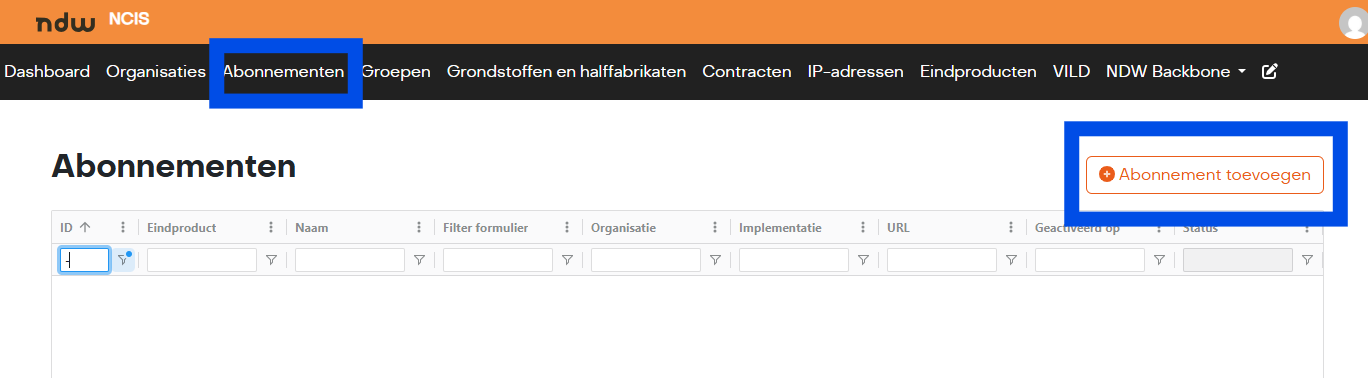
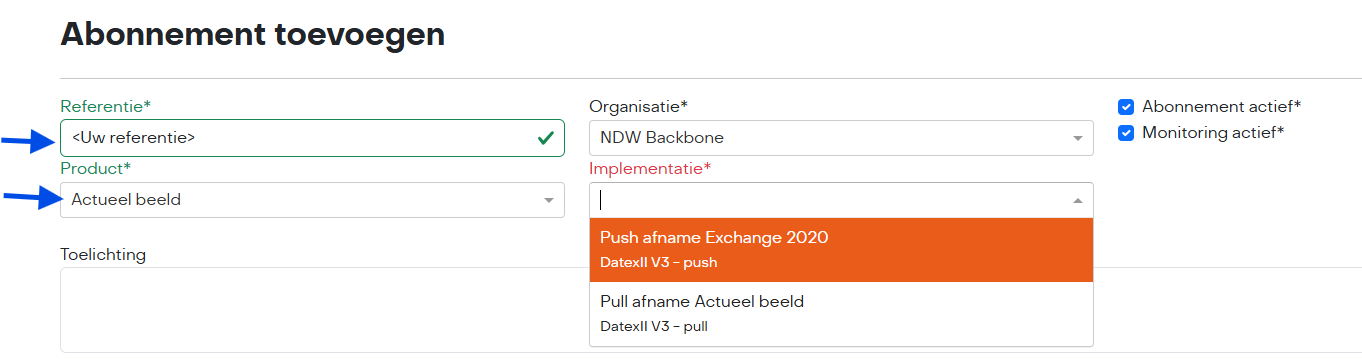
Under" Abonnement toevoegen" (=Add Subscription), enter your own reference.
Under Product, you can choose from the products below, which are delivered in DatexII V3:
- Actueel beeld (= Current traffic situation)
- Veiligsheidgerelateerde informatie (SRTI) (= Safety-related information (SRTI))
- Planningsfeed Wegwerkzaamheden en Evenementen (= Planning feed Roadworks and Events)
- Tijdelijke verkeersmaatregelen - Afsluitingen (= Temporary traffic measures – Closures)
- Tijdelijke verkeersmaatregelen - Maximum snelheden (= Temporary traffic measures – Maximum speeds)
- Rijstrooksignalering* (= Lane signaling)
- Dynamische Route-Informatie Paneel (DRIP) (= Variable Message Sign (DRIP))
- Vooraankondigingen bij Wegwerkzaamheden en Evenementen* (= Early notifications for Roadworks and Events)
- Emissiezones (= Emission zones)
- Voertuigrestricties* (= Vehicle restrictions)
*Not available to everyone
In this explanation, “Actueel Beeld” is selected.
Under Implementatie, you can choose Push delivery or Pull delivery.
Pull
If you choose Pull delivery, you will receive an API key when completing the subscription. This key is required to access the download. The messages are packaged in a gzip file.
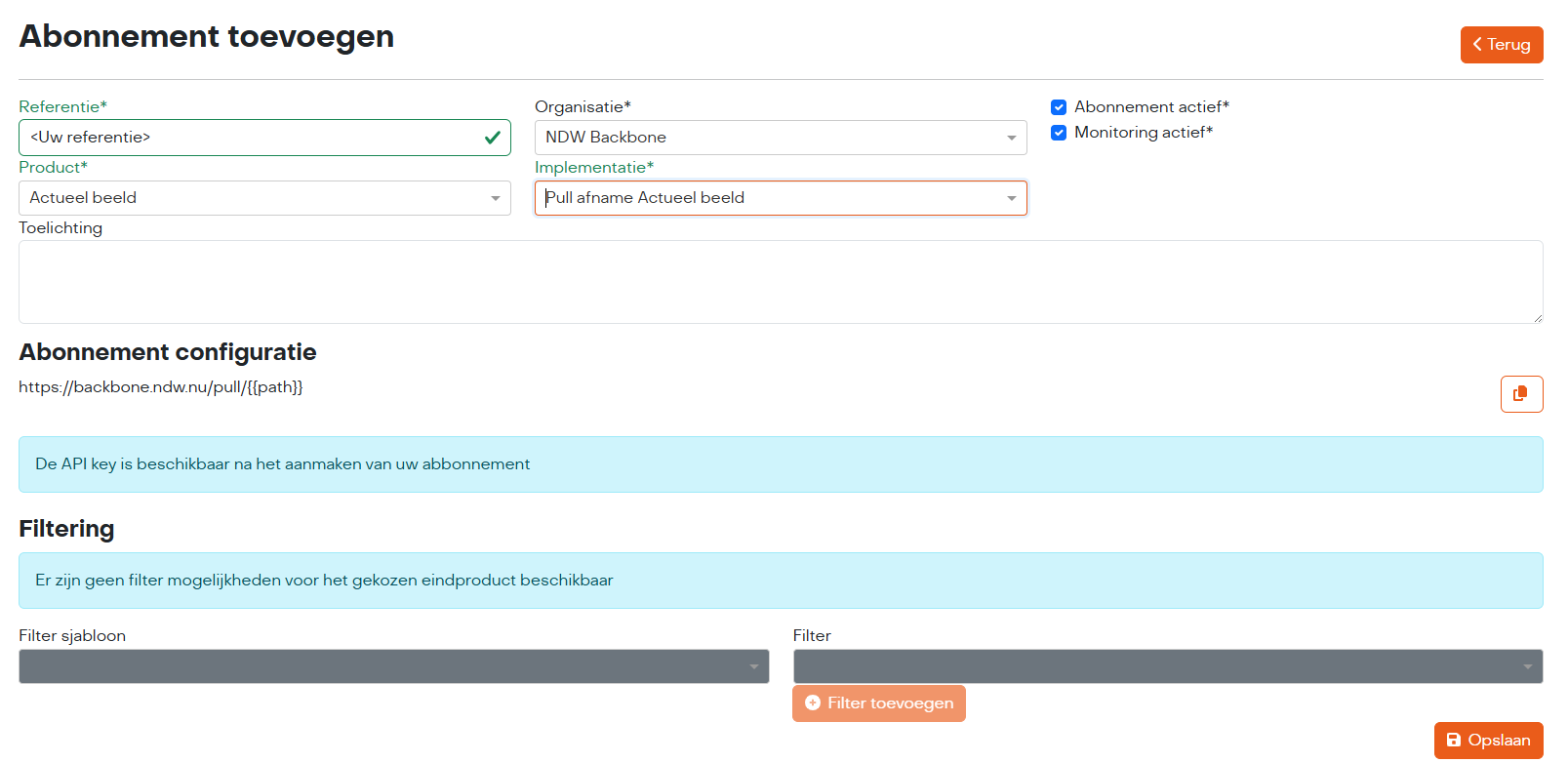
After saving, the subscription is active.
Connecting for Pull
Retrieve the message file using the URL and API key (see the subscription in the NCIS Webportaal.
A cURL example for the “Actueel Beeld” feed:
curl -v -X GET "https://backbone.ndw.nu/pull/datex3-complete" -H "Authorization: Bearer <apikey>"
Push
With Push delivery, you receive messages as soon as an update becomes available.
With Push delivery, data is supplied via the Exchange 2020 protocol.
For configuring Push delivery, we need a" Leverings URL" (= Delivery URL), where the messages must be sent.
This connection can be secured with Authentication. In the header, we then send the fields “Beveiliging header naam” (=Security header name) and “Beveiliging header waarde” (= Security header value).
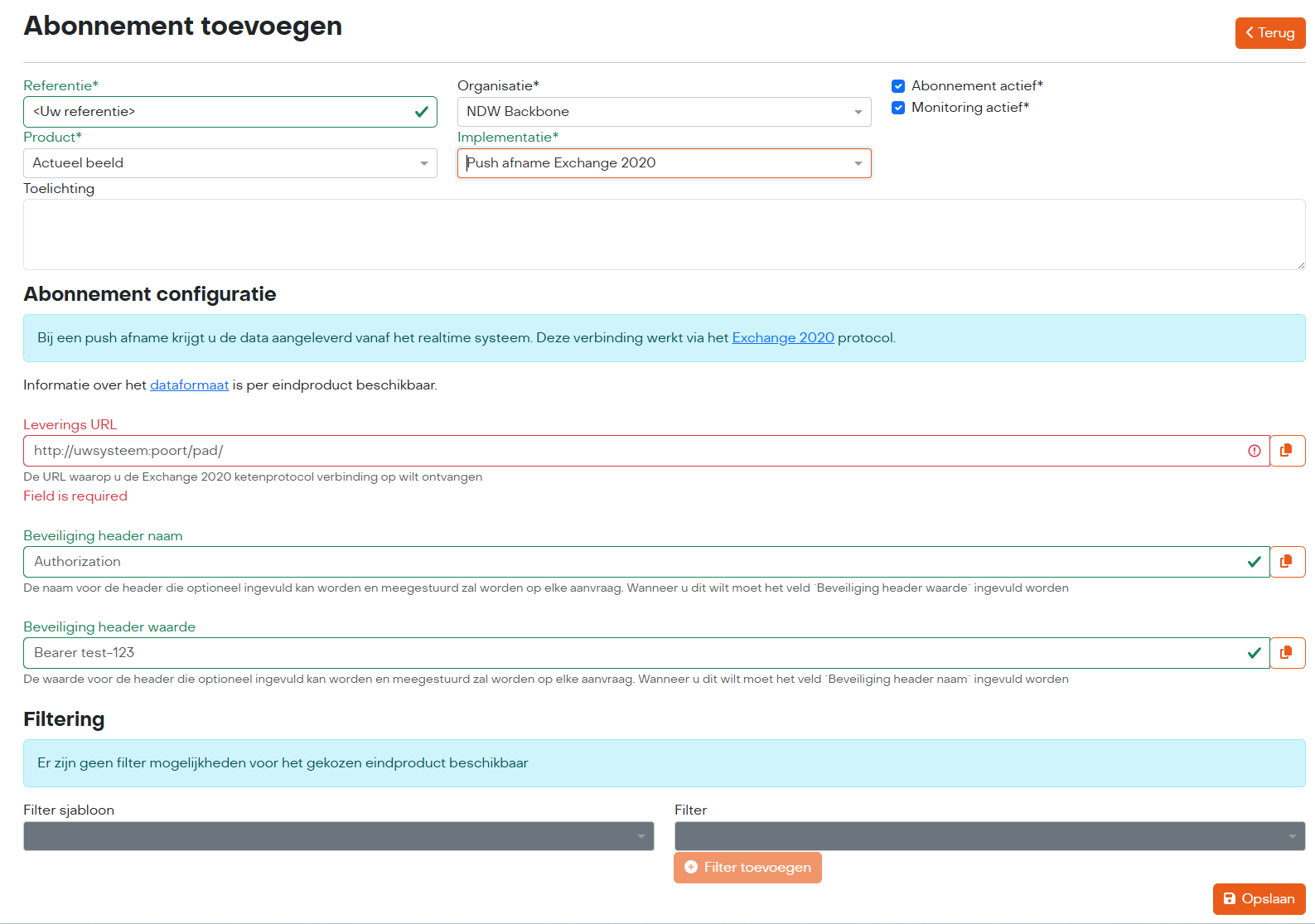
After saving, the delivery will start.
Go back to the previous page